

Screenshots
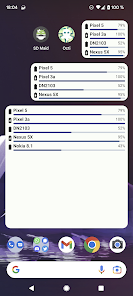
About This App
Managing a single smartphone is easy, but as we add tablets, work phones, and secondary devices to our lives, keeping track of them all becomes a challenge. The Octi Multi-Device Monitor MOD APK Premium Unlocked is a sophisticated system utility designed to synchronize and monitor your entire Android ecosystem from a single screen. By using the Premium Unlocked version, you gain access to advanced synchronization modules, enhanced clipboard sharing, and a completely ad-free experience. In this guide, we will provide the full paths to every feature to help you master your multi-device setup.
What is Octi Multi-Device Monitor?
Octi (originally found at https://play.google.com/store/apps/details?id=eu.darken.octi) is an open-source tool developed by darken, the creator of the famous SD Maid. Its primary purpose is to synchronize vital information between multiple Android devices in real-time. Whether you want to check your tablet’s battery from your phone or share a link across devices instantly, Octi makes it possible. The MOD APK Premium Unlocked version removes the limitations on the number of synced devices and unlocks “Pro” features like self-hosting and advanced battery analytics.
The Concept of a Unified Dashboard
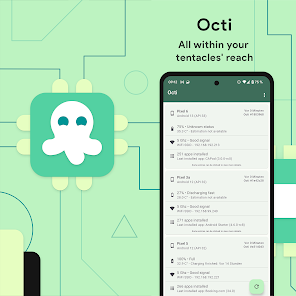
Octi doesn’t just “connect” devices; it creates a centralized command center. It uses modules—small pieces of data like battery life, Wi-Fi status, and installed apps—and sends them to your other devices using secure, encrypted channels. This is perfect for parents monitoring children’s tablets or professionals managing multiple work handsets.
Core Features of the Premium Unlocked Version
The Full Version of Octi provides professional-grade tools for users who need more than just basic monitoring:
- Advanced Battery Monitoring: View estimated remaining time, charging speed, and health for all connected devices.
- Universal Clipboard Sharing: Copy text on your Phone and paste it instantly on your Tablet.
- Unlimited Device Sync: Connect an unlimited number of Android devices to your private network.
- Multiple Sync Methods: Choose between Google Drive, the developer’s K-Server, or even self-host your own server for maximum privacy.
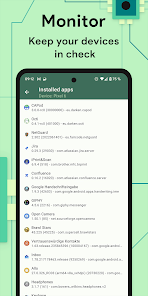
- App List Synchronization: See which apps are installed on your other devices and track when they were last updated.
- No Advertisements: Enjoy a completely clean interface with no tracking or distracting banners.
Full Path: How to Setup and Sync Devices (Step-by-Step)
If you are a beginner, follow these exact navigation paths to ensure your devices are communicating correctly:
1. Setting Up Your Primary Device
To begin, open the app on your main phone and follow this path: Main Screen > Sidebar Menu (Three Lines) > Settings > Profile > Set Device Name. Give it a clear name like “Main Phone” so you can identify it later.
2. Configuring the Sync Method (Google Drive)
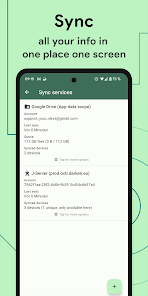
For the easiest setup, use the Google Drive path: Main Screen > Sidebar Menu > Settings > Synchronization > Add Method > Google Drive. Sign in with your Google account. Note: You must use the same Google account on all devices for this method to work.
3. Adding Your Second Device
Install Octi on your second device (e.g., your Tablet) and follow the same path: Settings > Synchronization > Add Method > Google Drive. Once signed in, both devices will appear in the Main Screen > Devices Tab.
4. Enabling the Universal Clipboard
To share text across devices, follow this path: Main Screen > Sidebar Menu > Settings > Modules > Clipboard > Toggle “Enable”. Now, whenever you copy text on one device, it will be available in the Octi “Clipboard” module on all others.
Advanced Monitoring Modules
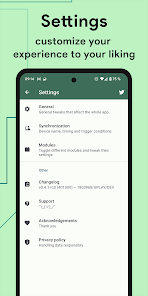
Octi organizes data into “Modules.” You can customize which information is shared by following the path: Main Screen > Sidebar Menu > Settings > Modules. Key modules include:
- Battery: Shows percentage, temperature, and voltage.
- Connectivity: Shows the current Wi-Fi SSID and IP address.
- Software: Lists the Android version and security patch level.
- Storage: Monitors internal and SD card space availability.
How to Self-Host Your Own Octi Server
For users who are concerned about privacy and don’t want to use Google servers, the Premium version allows for “J-Server” or “K-Server” integration. Follow this path: Main Screen > Settings > Synchronization > Add Method > Custom Server. Enter your private server URL and credentials here. This ensures that your device data never leaves your private network.
Benefits for Power Users and Developers
The Octi Multi-Device Monitor MOD APK is particularly useful for developers or tech enthusiasts. By navigating to Main Screen > Devices > [Select Device] > Software Module, you can quickly check the exact build number and API level of all your testing devices without having to physically pick them up. This saves hours of time during app testing and troubleshooting.
Safety and Data Privacy
Because Octi is open-source, its code is transparent. However, when using the MOD version, we recommend checking your permissions. Follow the path: Phone Settings > Apps > Octi > Permissions. The app requires “Background Execution” to sync data while the screen is off. Since it is a monitoring tool, it does not need access to your camera or microphone, ensuring your privacy is respected.
Conclusion
The Octi Multi-Device Monitor MOD APK Premium Unlocked is a game-changing utility for anyone living in a multi-gadget world. It bridges the gap between your devices, turning them into a single, cohesive system. Whether you’re tracking battery levels, sharing clipboards, or managing app lists, Octi provides a level of control that standard Android settings simply cannot match. By following the full navigation paths provided in this guide—from profile setup to custom server configuration—you can build a smarter, more connected mobile ecosystem today.
Download Links
Mod Info
- Premium Unlocked
Additional Information
Developer
darken
Version
0.15.1-rc0
Release / Update Date
Feb 15, 2026
Rating
3.8
Reviews
23 reviews
Requires Android
Downloads
50K+
Size
Price
Free
Age Rating
In-app Purchases
Contains Ads
Google Playstore URL
Similar Apps
Edge VPN Simple Fast MOD APK 1.4.9 Premium Unlocked
Tools
Premium Unlocked
4.5
8Super App Manager Cleaner MOD APK 0.2.60g Premium Unlocked
Tools
Premium Unlocked
4.5
Rox Popup Ad Virus Cleaner MOD APK 1.0.20 Premium Unlocked
Tools
Premium Unlocked
4.5
PandaVPN Fast Private VPN MOD APK 9.2.0 Unlimited Trial Unlocked
Tools
Unlimited Trial Unlocked
4.5
CAPod Companion for AirPods MOD APK 4.0.3-rc0 Premium Unlocked
Tools
Premium Unlocked
3.5
Multi Run Parallel Dual App MOD APK 1.0.44.20 VIP Unlocked
Tools
VIP Unlocked
4.6
Popular Games
Minecraft Pocket Edition 1.21.0.03 MOD APK Mega Menu, Unlocked
Simulation
Mega Menu
4.3
Little Big City 4.0.6 MOD Unlimited Money
Casual
Modded
4.0
Dream League Soccer 2023 [DLS 23] 11.070 MOD APK Mega Menu, Unlocked
Games
Mega Menu
4.0
Truth or Dare 25.3.7 MOD APK unlocked
Trivia
Modded
4.0
super loud Volume Booster high sound Booster 1.2.2 Ad-Free
Music And Audio
Modded
4.4
Headphones Equalizer Music Bass Enhancer Premium 2.3.16 Unlocked
Music And Audio
Modded
4.6
Popular Apps
Node Video Pro Video Editor 6.10.1 MOD APK Lifetime Unlocked
Video Players
Modded
4.5
Video Cutter Video compressor crop speed video Pro 1.3.3
Apps
Modded
4.0
Video Compressor Compact Video Premium 18.3.0 MOD APK Unlocked
Video Players
Modded
4.6
Fitness app home gym workout Premium 2.15.0 APK MOD Unlocked
Health & Fitness
Modded
4.0
KineMaster Video Editor Pro MOD APK 8.0.14.36002.GP Premium Unlocked
Video Players
Premium Unlocked
4.4
Biugo video maker video editor Premium 5.11.8 APK MOD Unlocked
Tools
Modded
4.0