
Screenshots


About This App
Fluffy Icons One UI Style: Transform Your Android with the Softest 3D Aesthetic
Personalizing your smartphone has reached a whole new level of tactile beauty in 2026. While flat designs and glassmorphism dominated the past few years, the Fluffy Icons – One UI Style icon pack has introduced a revolutionary “Soft UI” trend. Combining the familiar, clean geometry of Samsung’s One UI with a hyper-realistic 3D plush texture, this icon pack is designed to make your home screen feel warm, inviting, and uniquely yours.
Whether you’re a Samsung enthusiast or just a fan of “kawaii” and aesthetic setups, the Fluffy Icons One UI Style MOD APK is the ultimate tool to breathe life into your device. In this comprehensive guide, we’ll explore the features, compatibility, and secret setup tips to get that viral “Fluffy One UI 8.5” look on any Android phone.
What is Fluffy Icons One UI Style?
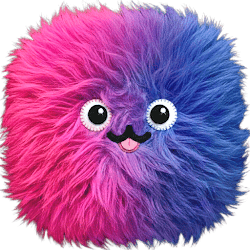
Developed by Project Fluffy (and variants like AppixoStudio), this icon pack is a premium personalization suite that reimagines standard app logos. Instead of flat colors, each icon is rendered with ultra-high-definition 3D fur textures, soft highlights, and rounded edges. The result is an interface that looks like a collection of tiny, plush pillows floating on your screen.
The One UI Inspiration
The pack uses the “Squircle” (rounded square) shape that Samsung users love, ensuring that your system looks organized and symmetrical. However, the added “fluff” gives it a personality that standard system icons simply can’t match. It’s the perfect blend of professional structure and playful creativity.
Core Features of the Fluffy Icon Pack
As of early 2026, the pack has expanded significantly, offering more than just a few icon swaps. Here are the standout features available on the Google Play Store version:
1. 1,200+ Handcrafted 3D Icons
Each icon is manually designed to ensure the 3D shadows and fur fibers look realistic. The library covers all major social media, productivity, and system apps, with new additions being added via weekly updates.
2. Fluffy Widgets Collection (KWGT)
An icon pack is only half the battle. To complete the look, the app includes a set of Premium Fluffy Widgets, including:
- Fluffy Weather: Dynamic 3D clouds and suns that change with your local forecast.
- Capsule Shortcuts: Soft, pill-shaped buttons for your most-used utilities.
- Fluffy Buddies: Adorable 3D bears and characters that act as app folders.
3. Exclusive Matching Wallpapers
The pack comes with a curated selection of cloud-based wallpapers. These range from soft pastel gradients to dark AMOLED-friendly backgrounds that make the 3D textures of the icons truly pop.
4. Premium Icon Request Tool
Missing a niche app? The developers offer a Premium Request service, promising to deliver custom fluffy icons for your missing apps within 24 to 48 hours—one of the fastest turnaround times in the industry.
Why Users Search for the Fluffy Icons MOD APK
While the official app is a “Paid” premium product, many users in the customization community seek out the Fluffy Icons One UI Style MOD APK. Here is why the modified version is so popular:
- All Premium Content Unlocked: Access the full library of 1,200+ icons and all 10+ KWGT widgets without a subscription.
- No License Errors: Some third-party launchers struggle with “License Verification” on paid apps. MOD versions often bypass this, ensuring a smooth application process on any launcher.
- Ad-Free Experience: Navigate the dashboard and download wallpapers without being interrupted by promotional videos.
- Access to Unreleased Icons: Some community MODs include “beta” icons that haven’t officially hit the Play Store yet.
Safety Tip: If you choose to download a MOD APK, ensure you are using a trusted 2026 repository to avoid malware. For the best experience and to support the hardworking designers, purchasing the official app is highly recommended.
Top Launchers to Use in 2026
To apply these icons, you need a compatible launcher. In 2026, these are the top performers for the “Fluffy” aesthetic:
1. Smart Launcher 6 (The Best Overall)
Smart Launcher’s automatic icon masking ensures that even unthemed apps get a “fluffy” base, keeping your look consistent. Its fluid animations match the “soft” vibe of the icons perfectly.
2. Niagara Launcher (The Minimalist Choice)
If you want a clean, distraction-free home screen, Niagara’s vertical list looks stunning with 3D icons. The high detail of the fur textures stands out beautifully in a single-column layout.
3. Samsung One UI (via Theme Park)
You don’t need a custom launcher if you have a Galaxy device! Use the Good Lock app and the Theme Park module to apply the Fluffy Icons directly to your stock Samsung home screen. This is the most stable way to get the look while keeping your Samsung widgets.
How to Install and Setup the “Fluffy” Look
Follow these steps to give your phone a total makeover:
Step 1: Install Your Tools
Download the Fluffy Icons pack and a supported launcher (like Smart Launcher or Nova). If you want the widgets, you will also need KWGT Pro.
Step 2: Apply the Icons
- Open the Fluffy Icons app.
- Tap on the “Apply” card.
- Select your launcher from the list.
Step 3: Optimize for 3D Depth
To make the icons look their best, go to your launcher settings and:
- Set Icon Size to 125% – 130%.
- Disable “Icon Normalization” to let the 3D shadows breathe.
- Use a Dark or Pastel Wallpaper from the app’s gallery to increase contrast.
Frequently Asked Questions (FAQs)
Does Fluffy Icons work on Android 16?
Yes! The pack is fully updated for 2026 and works seamlessly with Android 13, 14, 15, and the latest Android 16 builds.
Will these icons slow down my phone?
Not at all. Despite their detailed 3D appearance, the icons are optimized vector-based graphics that have zero impact on system performance or battery life.
Can I use this on my Google Pixel?
Yes, but the default Pixel Launcher does not support icon packs. You will need to install a third-party launcher like Lawnchair 15 or Niagara to use them.
Conclusion: The Future of Android Personalization
The Fluffy Icons One UI Style pack is more than just a cosmetic change; it’s a way to make your most-used device feel friendlier and more tactile. In a world of sharp edges and flat pixels, the “Fluffy” movement offers a refreshing, cozy alternative that is taking the Android community by storm in 2026.
Whether you’re looking to create a viral “aesthetic” setup for social media or simply want a fresh look for your Galaxy or Pixel, this icon pack is an essential download. Join the thousands of users who have already “fluffed” their UI and transformed their digital experience!
Would you like me to provide a specific tutorial on how to use the Fluffy KWGT widgets to create a matching 3D weather station on your home screen?
Download Links
Mod Info
- Full Version
Additional Information
Developer
Project Fluffy
Version
11.1
Release / Update Date
Mar 1, 2026
Rating
4.1
Reviews
106 reviews
Requires Android
5.0 and up
Downloads
1K+
Size
73 MB
Price
$1.99 - $19.99
Age Rating
Everyone
In-app Purchases
yes
Contains Ads
yes
Google Playstore URL
Similar Apps
Orbit Launcher Sci fi AI Theme MOD APK 8.9 Premium Unlocked
Personalization
Premium Unlocked
4.5
Muviz Widgets Clock Music MOD APK 1.0.8.0 Premium Unlocked
Personalization
Premium Unlocked
4.7
OneUI Woven Icon pack MOD APK 1.1 Premium Unlocked
Personalization
Premium Unlocked
5.0
iUI KWGT MOD APK 8.1 Full Version
Personalization
Full Version
4.8
Flux Neo for KWGT MOD APK 1.1.0 Full Version
Personalization
Full Version
4.3
Glass Pack Pro Clear Icons MOD APK 3.8.2 Full Version
Personalization
Full Version
4.7
Popular Games
Minecraft Pocket Edition 1.21.0.03 MOD APK Mega Menu, Unlocked
Simulation
Mega Menu
4.3
Little Big City 4.0.6 MOD Unlimited Money
Casual
Modded
4.0
Dream League Soccer 2023 [DLS 23] 11.070 MOD APK Mega Menu, Unlocked
Games
Mega Menu
4.0
Truth or Dare 25.3.7 MOD APK unlocked
Trivia
Modded
4.0
super loud Volume Booster high sound Booster 1.2.2 Ad-Free
Music And Audio
Modded
4.4
Headphones Equalizer Music Bass Enhancer Premium 2.3.16 Unlocked
Music And Audio
Modded
4.6
Popular Apps
Node Video Pro Video Editor 6.10.1 MOD APK Lifetime Unlocked
Video Players
Modded
4.5
Video Cutter Video compressor crop speed video Pro 1.3.3
Apps
Modded
4.0
Video Compressor Compact Video Premium 18.3.0 MOD APK Unlocked
Video Players
Modded
4.6
Fitness app home gym workout Premium 2.15.0 APK MOD Unlocked
Health & Fitness
Modded
4.0
KineMaster Video Editor Pro MOD APK 8.0.14.36002.GP Premium Unlocked
Video Players
Premium Unlocked
4.4
Biugo video maker video editor Premium 5.11.8 APK MOD Unlocked
Tools
Modded
4.0